InboxJoy
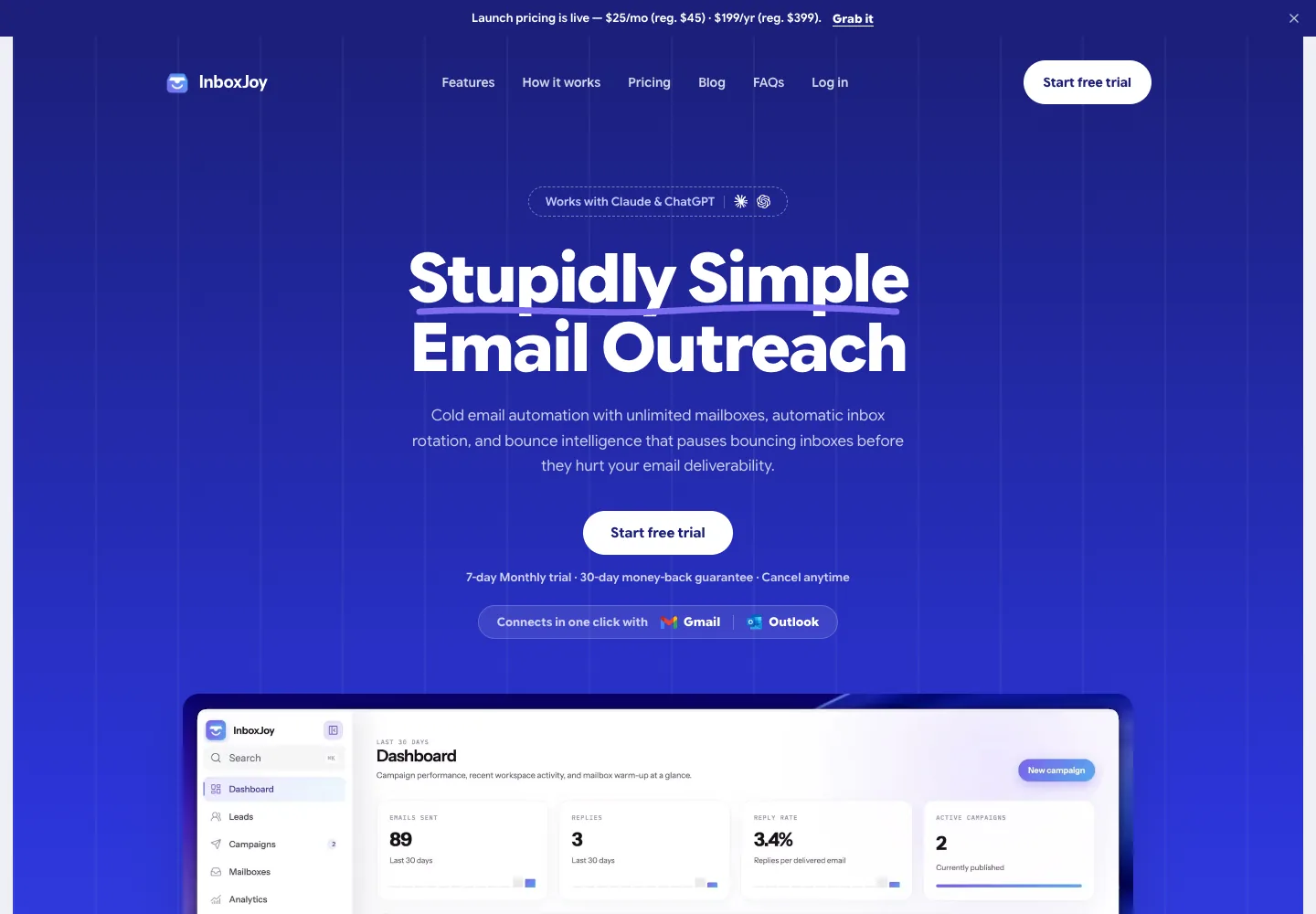
Founded and launched an AI outreach product that connects Gmail and Outlook, turns CSV leads into email campaigns and manages the follow-up work around real conversations.
Taking outreach beyond the first draft
Writing an email is only one part of outreach. A campaign also needs an audience, a sender, a sequence of follow-ups and a way to recognise when the recipient has replied. For someone running outreach alongside the rest of a business, the repeated coordination can become as demanding as the writing itself.
I founded and launched InboxJoy to connect these tasks in a working product. My responsibility covered product definition, interaction design and hands-on implementation, from connected Gmail and Outlook inboxes through campaign execution and analytics. The core product question was how to turn AI-assisted drafting into a workflow a user could actually run.
From lead list to campaign
InboxJoy connects an existing mailbox, supports CSV lead imports and uses AI to draft email sequences. The campaign experience brings the audience, message steps and sender choices together so that users can prepare outreach in one place.
I built the product around an explicit campaign launch and a defined audience. The implementation checks eligible contacts and deduplicates overlapping lists before enrollment. These details matter to the experience: the same person appearing in two lists should not turn into two parallel outreach conversations.
Giving automation practical boundaries
Sending controls are part of the product itself. Inbox rotation distributes outreach across connected senders, while sending caps and windows define when and how much a campaign can send. Users can manage the pace of execution alongside the content of the sequence.
The workflow also responds to the conversation. A genuine reply stops pending follow-ups, and the sending process checks for replies before submitting another message. This connects the automation to the reason for doing outreach: starting a conversation that a person can continue.
Sender choice
Connected Gmail and Outlook inboxes provide the sending identity; rotation supports campaigns using multiple inboxes.
Sending pace
Caps and windows put practical limits around automated execution.
Conversation state
Reply-aware stopping prevents a planned sequence from continuing after a recipient responds.
Handling uncertainty in delivery
Connected-inbox delivery introduced an important product decision: a campaign needs a clear state when the email provider returns an uncertain result. InboxJoy pauses outreach to the affected contact while that result is resolved, instead of immediately sending again. Recovery also records messages already accepted by the provider, so they are not resent.
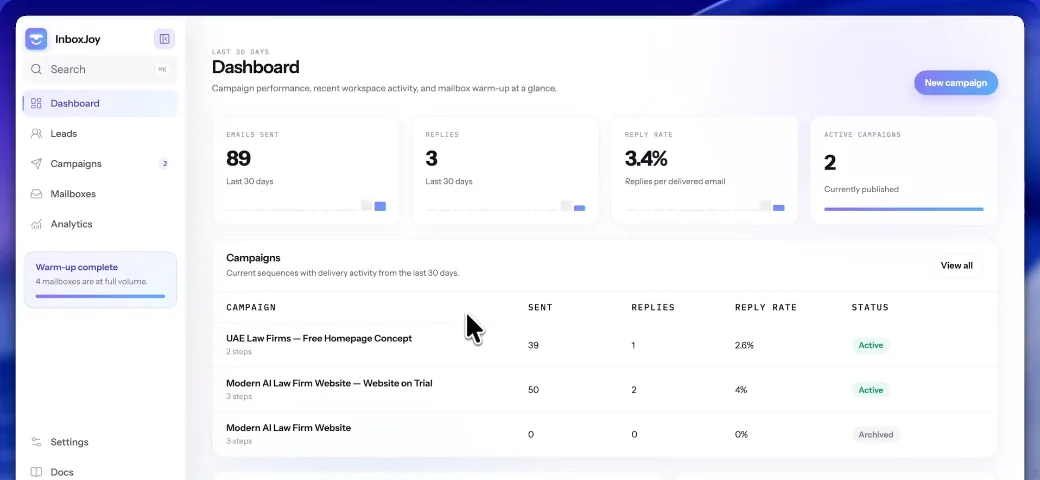
Campaign analytics give users a view of execution and response. Provider acceptance and recipient response describe different events; keeping those distinctions clear helps the product communicate what has happened without overstating delivery.
Extending the workflow into content
Alongside outreach, I built a content automation pipeline that researches a topic, writes the content and publishes it. This applies the same product approach to a different marketing task: connect the steps into a repeatable workflow, rather than leave the user to move each output manually.
The delivered product brings connected inboxes, AI-drafted sequences, lead imports, sending controls and campaign analytics into one outreach workflow. Alongside it, the research-to-publishing pipeline covers a second recurring marketing task. I owned both the product decisions and the implementation, carrying the work through to launch.
Have something in mind?
Let's make it work.
Ex-Founder, Product Manager & Designer. Based in Dubai.